
Postman
Postman is a user-friendly interface for sending API requests and viewing responses. With Postman you can test any API without a development environment.
We have built a Postman collection that contains all of Lithics APIs
Getting Started
1. Download Postman
Download Postman: https://www.postman.com/downloads/
2. Fork the Collection
Select the collection via the three dot menu. Select Fork.
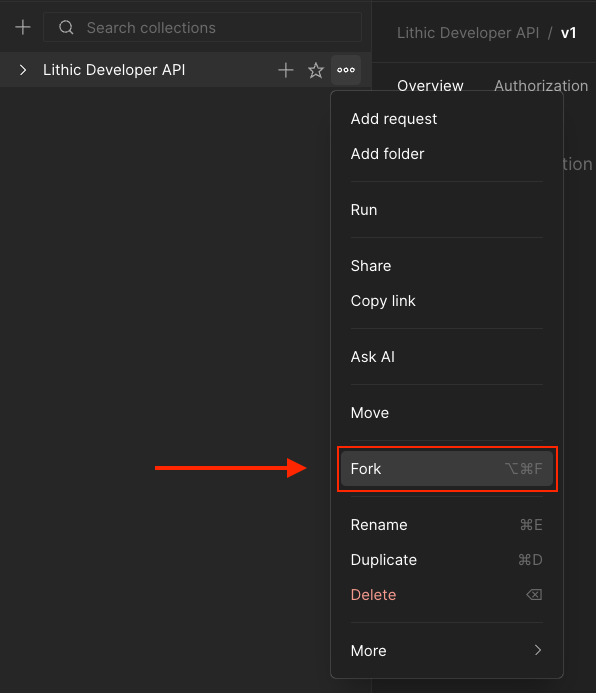
When you Fork, Postman will ask you for a destination to Fork the Collection to. A copy of the collection will be created at the location you designate.

Options
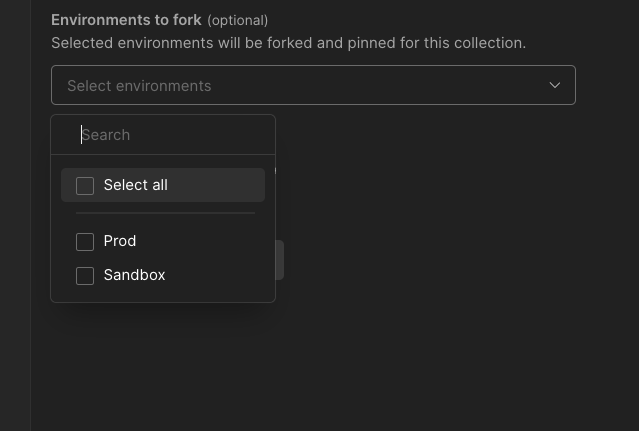
You can
- Add a label to distinguish the collection that you are copying.
- You can select watch original collection to get notifications if the source collection gets updated. See Updating Postman Collection.
Make sure you fork the environments as well. These contain the necessary environment variables to make the collection work properly.
Future changes to the Lithic Public Collection will be shown as an icon in the menu, and you will be able to Pull Updates (see below.)
3. Add API key env
You will need to add your API key to the corresponding environment in Postman. To add your Sandbox key, navigate to the environments tab on the left of the Postman window.

For example, you can copy your Sandbox API key and add it to the apiKeyenvironment variable in the Postman environment labeled "Sandbox"
Using the Postman Collection

- Set env - in the top right corner, make sure to select the environment to use.
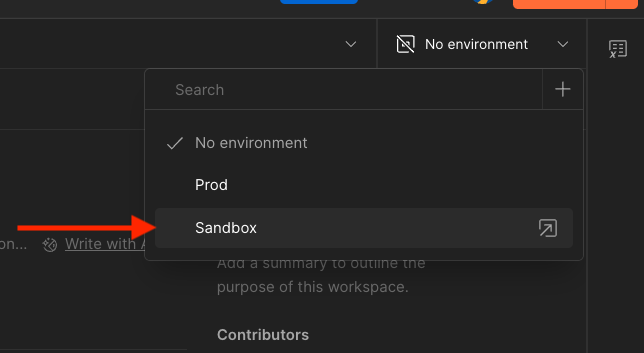
- Make a request - you can now make requests within the API collection. The collection will use the variables in the environment with all your requests.
Updating the Postman Collection
Pulling Updates

When Lithic updates the Postman Collection, you will see an update icon as a downward arrow next to the Pull Changes text in the collections menu.
Pulling New Changes
- Select the collection you wish to update
- From the collections menu select Pull Changes
- You will see a list of changes before you accept.
- Select accept and the changes will be incorporated into your Collection.
Note: If you've made customizations to the pre-defined requests. Updates may override your changes. Postman will notify you if there are conflicts.
Workflows
In addition to our APIs, we also created quickstart workflows that can assist with testing.
We have a quickstart workflow that works along side our Quickstart guide, so that you can follow along with ease.

Updated about 1 month ago